Output
PDF
ExportPdf writes the document to bytes, a stream or a file, and takes PdfExportOptions:
| Option | Default | |
|---|---|---|
Typefaces |
TypefaceLibrary.Shared |
The typefaces text is set in — see Text |
RequireEveryGlyph |
off | Fail with MissingGlyphException rather than set a character no typeface has |
KeepFontHinting |
off | Embed TrueType fonts with their hinting, for the crispest small text on screens that use it |
Compress |
on | Compress content streams; off makes them readable, for debugging |
ImageQuality, MaximumImageResolution, ImageProcessor |
none | Recompress and scale images — see Images |
ImageResolution |
288 | The resolution images made for their box are asked for |
Conformance |
none | Write PDF/A |
Tagged |
off | Record the document's structure |
Accessibility |
none | Claim PDF/UA |
Protection |
none | Password-protect the file |
Fonts are subset to the glyphs a document uses, TrueType and OpenType CFF alike — a sixteen-megabyte Chinese font
becomes a few kilobytes — and TrueType fonts lose their hinting unless KeepFontHinting asks for it, which often
halves them. Images are embedded as they were encoded where PDF allows, and identical images and fonts are written
once however often they appear. A document can be exported from several threads at once.
Page images, SVG and XPS
The Rustaveli.Pdf.Raster package draws pages as images — from the same layout and the same glyphs as the PDF:
IReadOnlyList<byte[]> pages = document.ExportImages(new ImageExportOptions
{
    Resolution = 150,
    Format = PageImageFormat.Jpeg,
    Quality = 85,
});

document.ExportImages(page => $"page-{page}.png");
It also writes each page as an SVG document, text as outlines, and the whole document as XPS on Windows:
PDF/A
PDF/A is PDF for archiving: self-contained, with every font embedded and colour defined. Parts 2 and 3 are written, at levels B (basic), U (text extractable as Unicode) and A (accessible, and so tagged); part 3 allows attached files, as electronic invoices need.
document.Info.Title = "Invoice 2026-041";

byte[] archived = document.ExportPdf(new PdfExportOptions { Conformance = PdfAConformance.PdfA3B });
Under PDF/A every character must be found in a typeface, and CMYK images without a colour profile need an
ImageProcessor to become RGB. This library's tests check PDF/A-2b, PDF/A-3u, and PDF/A-2a with PDF/UA-1 with
veraPDF, on every specimen document.
Tagged PDF and PDF/UA
A tagged PDF records what each part of a document is — heading, paragraph, list, table, figure — in reading order, for screen readers, reflow and search. PDF/UA is the standard for accessible PDF and needs a tagged document with a title and a language.
Artwork chart = Artwork.Draw(200, 100, draw =>
    draw.Fill(new VectorPath().AddRectangle(0, 40, 60, 60), Ink.Hex("#1E88E5")));

Document document = Document.Compose(composition => composition.Section(section =>
{
    section.Trim = PaperSizes.A5;
    section.Margins = Sides.All(36);
    section.RunningFoot().Centered().Text(text => text.Folio());

    section.Body().Stack(stack =>
    {
        stack.SpaceBetween(8);
        stack.Add().Tagged(ContentTag.Heading(1)).Text(text => text.Run("Annual report").PointSize(18));
        stack.Add().Text("Paragraphs are tagged as paragraphs without asking.");
        stack.Add().Tagged(ContentTag.Figure("Revenue rose in every quarter")).Width(200).Artwork(chart);
        stack.Add().Untagged().Rule(0.5f);
    });
}));

document.Info.Title = "Annual report";
document.Info.Language = "en";

byte[] accessible = document.ExportPdf(new PdfExportOptions { Accessibility = PdfUAConformance.PdfUA1 });
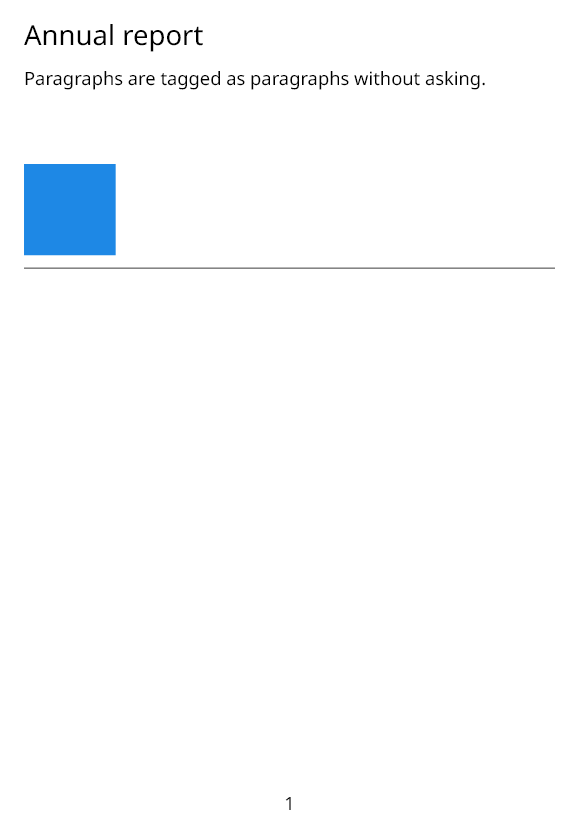
Text nothing else tags is a paragraph; lists, tables, links and their parts are tagged without asking; running heads
and feet are left out as page furniture. Tagged gives the rest their part — headings, figures with their
alternative text, formulas, quotes, notes and the like — and Untagged leaves decoration out. A table's header rows
head its columns; RowHeading() makes a cell head its row. Language("ka") marks content in another language than
the document's.
Protection
byte[] locked = document.ExportPdf(new PdfExportOptions
{
    Protection = new Protection
    {
        UserPassword = "open sesame",
        OwnerPassword = "keeper",
        AllowCopying = false,
        AllowModifying = false,
    },
});
The user password opens the file with the rights allowed; the owner password opens it with every right. Without an
owner password one no one knows is made up, so the restrictions cannot be lifted at all. An empty user password
lets anyone open the file, restricted. AES with 256-bit keys is used unless Encryption names another level; the
RC4 levels are there for old readers.
An existing file is protected, or its protection removed, with PdfFile.