Layout
Every piece of content is set into a frame, and content that holds more than one thing hands out a frame for each. This guide goes through the ways of arranging frames, the modifiers that change a frame, and how content behaves when it reaches the bottom of a page.
How content meets the page
Layout asks each frame what it would do with the room left on the page, and the frame answers in one of four ways:
it has nothing to set; it sets everything; it sets what fits and continues on the next page; or it cannot start
here and moves whole to the next page. A stack of paragraphs splits between lines, a table between rows, and a
single line or image moves whole. Content that could not fit even on an empty page is reported with an
OversetException that says where — see Preview and debugging.
The room a frame is given is decided by its parent, and a frame fills it: a stack gives each item its full width, a
column gives its content the column's width. Placement modifiers — FlushLeft(), Centered(), Middle() and the
rest — let content be smaller than its room and say where in it to sit.
Stacks and columns
Stack sets frames one above another and flows across pages; Columns sets frames side by side.
Document document = Document.Compose(composition => composition.Section(section =>
{
    section.Trim = PaperSizes.A4;
    section.Margins = Sides.All(40);

    section.Body().Stack(stack =>
    {
        stack.SpaceBetween(12);

        stack.Add().Columns(columns =>
        {
            columns.Gutter(20);
            columns.Share(2).DefaultType(type => type.Bold()).Text("Rustaveli Printing Ltd");
            columns.Natural().Text("Invoice 2026-041");
        });

        stack.Add().Rule(0.5f, Ink.Hex("#9E9E9E"));

        stack.Add().Columns(columns =>
        {
            columns.Fixed(120).Text("Billed to");
            columns.Share().Text("Nino Kapanadze, 3 Chavchavadze Avenue, Tbilisi");
        });
    });
}));

A column is Fixed at a width, as wide as its content (Natural), or takes a Share of whatever width is left,
in proportion to its weight: above, the first column takes all the room the second does not need.
Tables
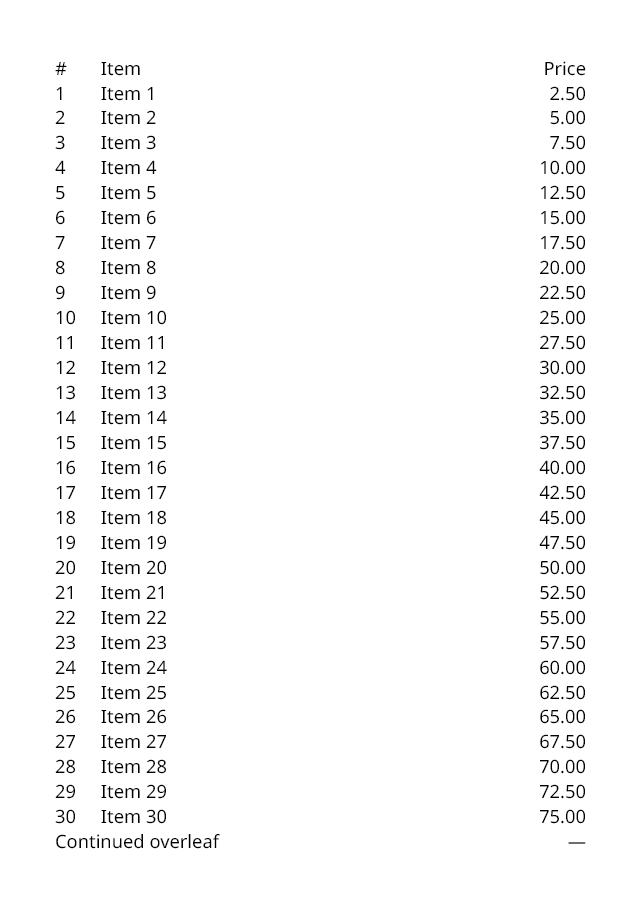
A table's columns are declared first; cells then fill them row by row. Header and footer rows repeat on every page the table reaches, and a table breaks between rows.
section.Body().Table(table =>
{
    table.Columns(columns =>
    {
        columns.Fixed(30);
        columns.Share(3);
        columns.Share();
    });

    table.HeaderRows(header =>
    {
        header.Cell().Text("#");
        header.Cell().Text("Item");
        header.Cell().FlushRight().Text("Price");
    });

    for (int line = 1; line <= 60; line++)
    {
        table.Cell().Text(line.ToString(CultureInfo.InvariantCulture));
        table.Cell().Text("Item " + line.ToString(CultureInfo.InvariantCulture));
        table.Cell().FlushRight().Text((line * 2.5).ToString("0.00", CultureInfo.InvariantCulture));
    }

    table.FooterRows(footer =>
    {
        footer.Cell().SpanColumns(2).Text("Continued overleaf");
        footer.Cell().FlushRight().Text("—");
    });
});
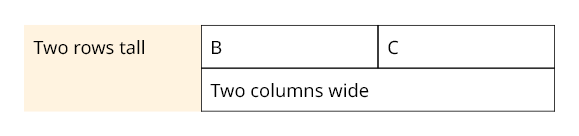
A cell can span rows and columns, and can be placed explicitly with AtRow and AtColumn — the rest flow around
it. A cell is a frame like any other, so it takes modifiers:
section.Body().Table(table =>
{
    table.Columns(columns =>
    {
        columns.Share();
        columns.Share();
        columns.Share();
    });

    table.Cell().AtRow(1).AtColumn(1).SpanRows(2).Fill(Ink.Hex("#FFF3E0")).Inset(6).Text("Two rows tall");
    table.Cell().Stroke(0.5f).Inset(6).Text("B");
    table.Cell().Stroke(0.5f).Inset(6).Text("C");
    table.Cell().SpanColumns(2).Stroke(0.5f).Inset(6).Text("Two columns wide");
});
ExtendLastCellsToBottom() stretches the last cell of each column down to the bottom of the table on every page,
so strokes on the cells run all the way down.
Lists
section.Body().List(list =>
{
    list.Numbered(ListNumbering.LowerRoman);
    list.SpaceBetween(4);
    list.Add().Text("Read the brief.");
    list.Add().Text("Set the type.");
    list.Add().Text("Send the proofs.");
});
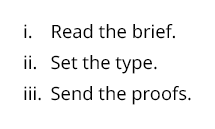
Bulleted() sets bullets instead. Numbering carries on across pages; MarkerIndent sets the hanging indent the
markers sit in, and MarkerType the type they are set in.
Layers and bands
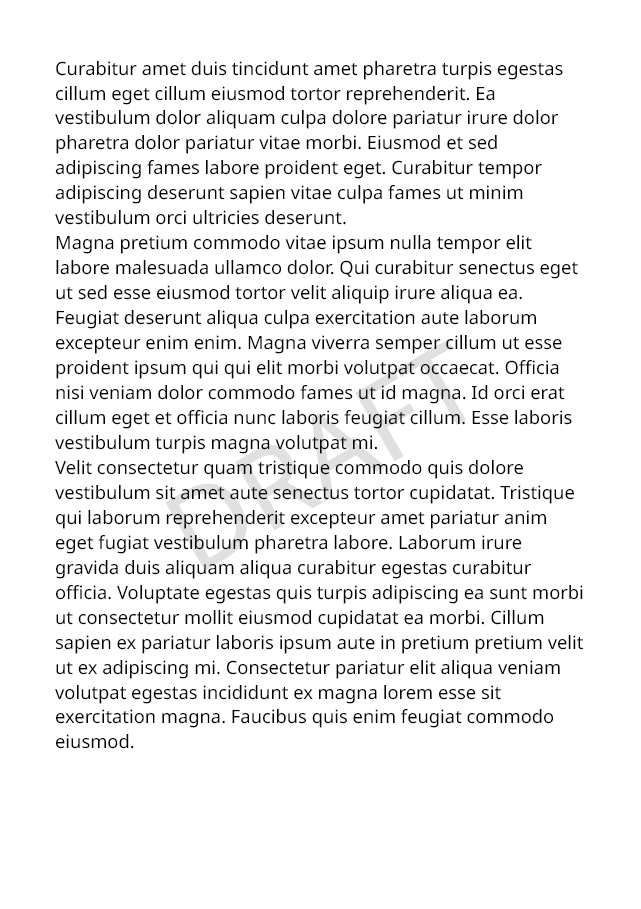
Layered draws frames over one another, in the order they are added. The base layer decides the size the layers
take; the others are given the same room. A watermark added first lies beneath the text:
section.Body().Layered(layers =>
{
    layers.Layer().Middle().Centered().Rotate(-30).Text(text =>
    {
        text.Run("DRAFT").PointSize(72).Ink(Ink.Hex("#E0E0E0"));
    });
    layers.BaseLayer().Text(new SampleData(seed: 7).Paragraphs(3));
});
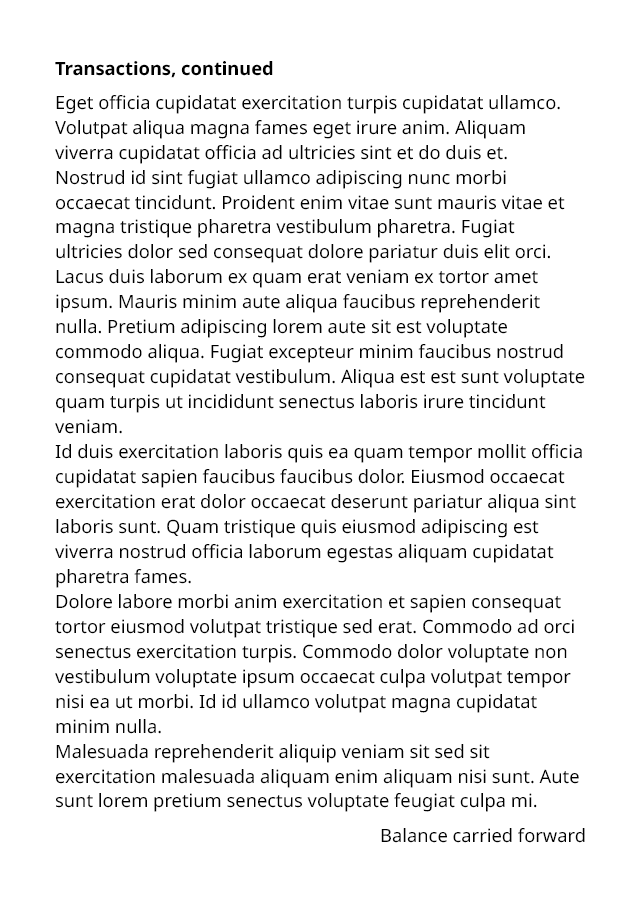
Banded gives content a head band and a foot band repeated on every page it spans, as a table's header and footer
rows are — for a long section with its own heading, say:
section.Body().Banded(bands =>
{
    bands.Head().InsetBottom(6).DefaultType(type => type.Bold()).Text("Transactions, continued");
    bands.Body().Text(new SampleData(seed: 3).Paragraphs(12));
    bands.Foot().InsetTop(6).FlushRight().Text("Balance carried forward");
});
Grids, flows and flowing columns
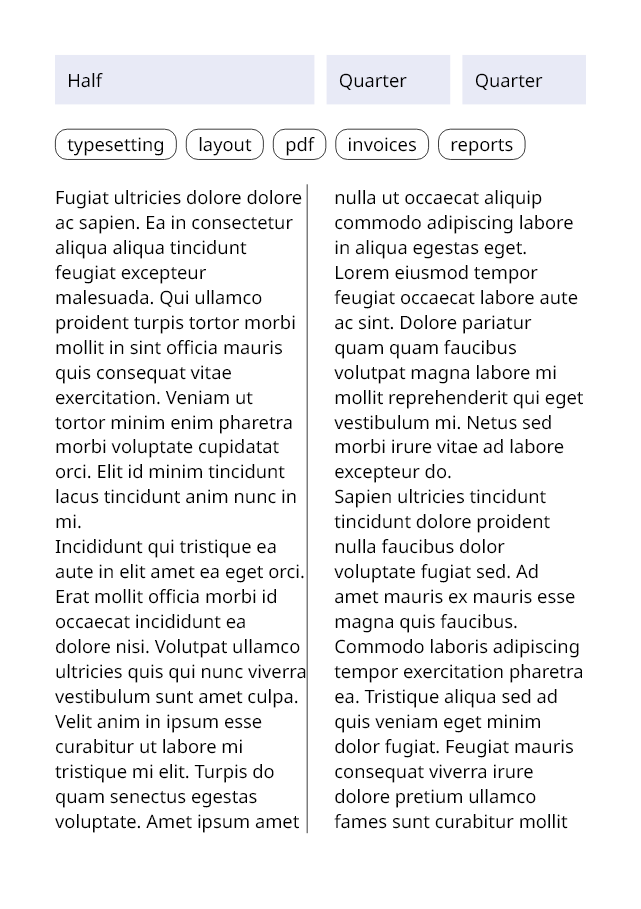
A Grid sets cells in rows of equal columns, each cell spanning as many as it asks for. A Flow sets items side by
side as words are, wrapping on to new lines — tags, badges, thumbnails. FlowColumns flows content through columns
as a newspaper does, on to the next page when they are full.
section.Body().Stack(stack =>
{
    stack.SpaceBetween(16);

    stack.Add().Grid(grid =>
    {
        grid.Columns(4);
        grid.Gutter(8);
        grid.SpaceBetweenRows(8);
        grid.Cell(span: 2).Fill(Ink.Hex("#E8EAF6")).Inset(8).Text("Half");
        grid.Cell().Fill(Ink.Hex("#E8EAF6")).Inset(8).Text("Quarter");
        grid.Cell().Fill(Ink.Hex("#E8EAF6")).Inset(8).Text("Quarter");
    });

    stack.Add().Flow(flow =>
    {
        flow.Gutter(6);
        flow.SpaceBetweenLines(6);

        foreach (string tag in new[] { "typesetting", "layout", "pdf", "invoices", "reports" })
            flow.Add().Stroke(0.5f).RoundCorners(8).InsetHorizontal(8).InsetVertical(2).Text(tag);
    });

    stack.Add().FlowColumns(columns =>
    {
        columns.Columns(2);
        columns.Gutter(18);
        columns.Balanced();
        columns.Story().Text(new SampleData(seed: 11).Paragraphs(4));
        columns.Between().VerticalRule(0.5f);
    });
});
Modifiers
Modifiers wrap a frame and hand back the one inside. The common ones:
| Kind | Modifiers |
|---|---|
| Space | Inset, InsetLeft, InsetTop, InsetRight, InsetBottom, InsetHorizontal, InsetVertical |
| Paint | Fill, Stroke, StrokeLeft and the other sides, StrokeInk, AlignStroke, RoundCorners, DropShadow |
| Size | Width, Height, MinWidth, MaxWidth, MinHeight, MaxHeight, Proportion, Expand, FitToContent |
| Placement | FlushLeft, Centered, FlushRight, FlushTop, Middle, FlushBottom, Unbounded |
| Transform | ShiftAcross, ShiftDown, Scale, ShrinkToFit, Rotate, TurnLeft, TurnRight, Mirror…, DrawOrder |
| Content | DefaultType, LeftToRight, RightToLeft, Style |
| Structure | Link, Anchor, CrossReference, Bookmark, Tagged, Untagged, Language |
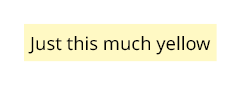
Fill and Stroke paint the room the frame is given. To paint only around the content, fit the frame to it first:
Flow across pages
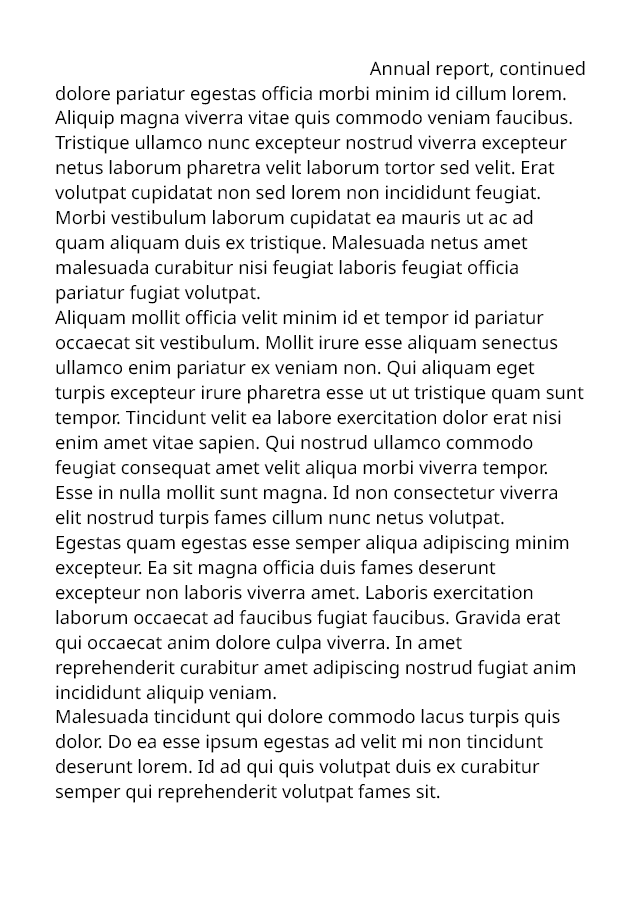
Document document = Document.Compose(composition => composition.Section(section =>
{
    section.Trim = PaperSizes.A5;
    section.Margins = Sides.All(36);

    section.RunningHead().When(page => !page.IsFirst).FlushRight().Text("Annual report, continued");

    section.Body().Stack(stack =>
    {
        SampleData sample = new SampleData(seed: 5);

        stack.SpaceBetween(10);
        stack.Add().Text(text => text.Run("Annual report").PointSize(20));
        stack.Add().KeepTogether().Text(sample.Paragraphs(2));
        stack.Add().Text(sample.Paragraphs(6));
        stack.Add().NewPage();
        stack.Add().RequireSpace(150).Text(text => text.Run("Appendix").PointSize(16));
        stack.Add().Text(sample.Paragraphs(2));
    });
}));
| Modifier | Effect |
|---|---|
NewPage() |
Starts the next page |
KeepTogether() |
Never splits the frame; it moves whole to the next page |
KeepTogetherWherePossible() |
Moves whole when it would fit on the next page; splits only when longer than a page |
RequireSpace(height) |
Starts a new page unless at least this much room is left |
When(condition) |
Includes the frame only when a condition holds — or, given PageFacts, on the pages it accepts |
RepeatOnEachPage() |
Draws the frame afresh on every page the frame around it continues onto |
Once() / SkipFirst() |
Only the first time, or every time but the first — "continued" labels in repeated bands |
DiscardOverset() |
Keeps what fits where the frame first appears and drops the rest |
Content composed afresh for each page it reaches — running totals, say — uses ComposePerPage with an
IDynamicContent<TState>; content composed only when layout reaches it uses ComposeLater.